Facebook messenger/Instagram
What is Facebook and Instagram connection?
This feature allows you to receive and respond to both Facebook Messenger and Instagram direct messages directly within your Chatty inbox.
By connecting these to Chatty, you can:
- Manage all conversations from Facebook and Instagram, in one centralized location
- Save time by not switching between different platforms
- Provide faster and more consistent customer support
- Keep track of customer interactions across different platforms
- Respond to customers on their preferred communication channel
How to connect Facebook and Instagram to Chatty
Only Instagram business accounts connected to your Facebook Page can be integrated.
Go to Settings → Channels
In Messenger/Instagram, click Manage
Click Connect to Facebook
Log in to your Facebook account
Select pages to connect
Click Save
Manage Facebook and Instagram accounts
After connecting your Facebook account, you can check your connected pages here. Each page has its own card under Channels, marked Connected.
If "No associated Instagram account found" appears, you need to connect an Instagram business account to your Facebook Page first through Facebook's settings. Learn more. (opens in a new tab)
Add pages from the same Facebook account to Chatty
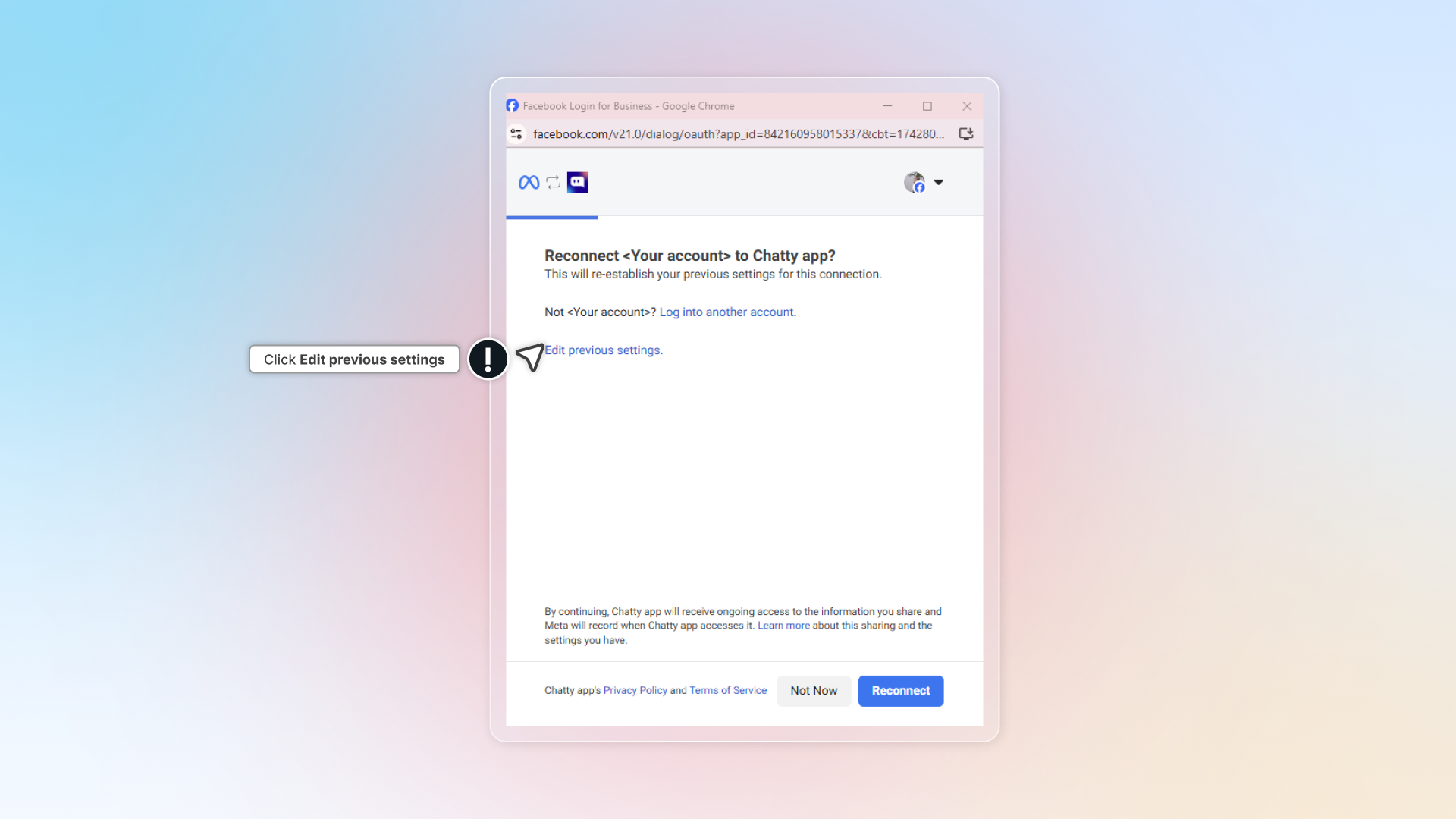
Remove connected pages from Chatty
- Under Channels, click the arrow next to Connected on the page card.
- Turn off Messenger, Instagram, or both.
Expected result: Chatty saves the change right away. Messages from the channel you turned off no longer reach your Chatty inbox.
Choose which Instagram messages come into Chatty
When Instagram is on for a page, its card shows two more switches:
- Story mentions: someone mentions your Instagram account in their story.
- Story replies: someone replies to one of your stories.
Both are on by default. Direct messages show Always on, because Instagram cannot run without them.
- Go to Settings → Channels, and in Messenger/Instagram, click Manage.
- Under Channels, click the arrow next to Connected on the page card. The first page's card is already open.
- Turn Story mentions or Story replies on or off.
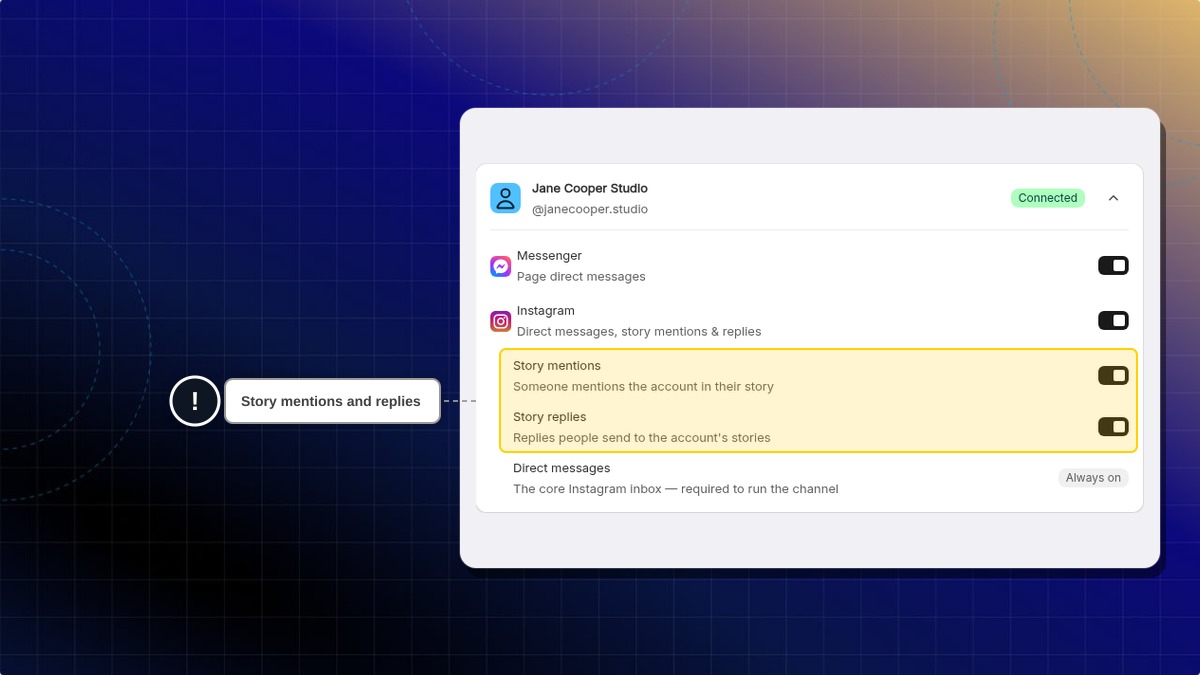
Expected result: Chatty saves the change right away. Story mentions or story replies you turned off no longer reach your Chatty inbox from that page's Instagram account. Other pages keep their own settings.
If a page has no Instagram business account linked, the Instagram switch is greyed out and the story switches do not show.
Connect other Facebook account
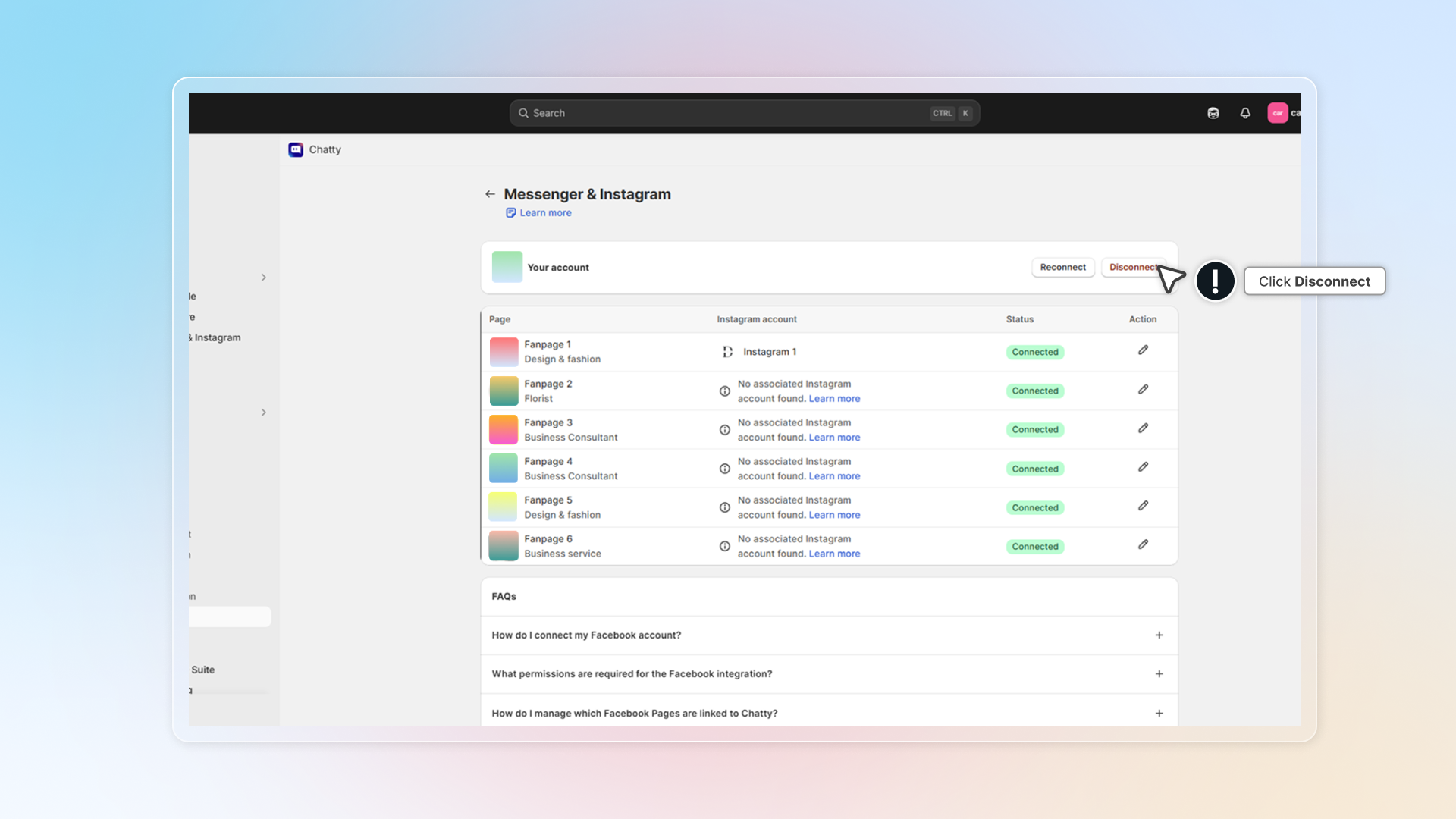
How to skip AI replies to emoji-only messages
When a customer sends only an emoji or a sticker, you may not want AI to reply. You can stop this for Facebook and Instagram.
Before you start, make sure your Facebook account is connected. The setting shows only after you connect.
- Go to Settings → Channels.
- In Messenger/Instagram, click Manage.
- In the AI auto-reply card, turn on Reply only to messages with real text. The change saves right away.
Expected result: AI no longer replies to messages that hold only emoji, stickers, GIFs or punctuation. These messages still appear in your Inbox, so your team can respond to them.
Is this on by default?
No. AI replies to every message until you turn on Reply only to messages with real text.
Will AI still reply to "Thanks 😊" or to a photo?
Yes. A message with at least one letter or number counts as real text, in any language. A real photo also still gets a reply.
Does this change replies on WhatsApp, email or the chat widget?
No. It only applies to Facebook Messenger and Instagram.
Messages from Facebook and Instagram
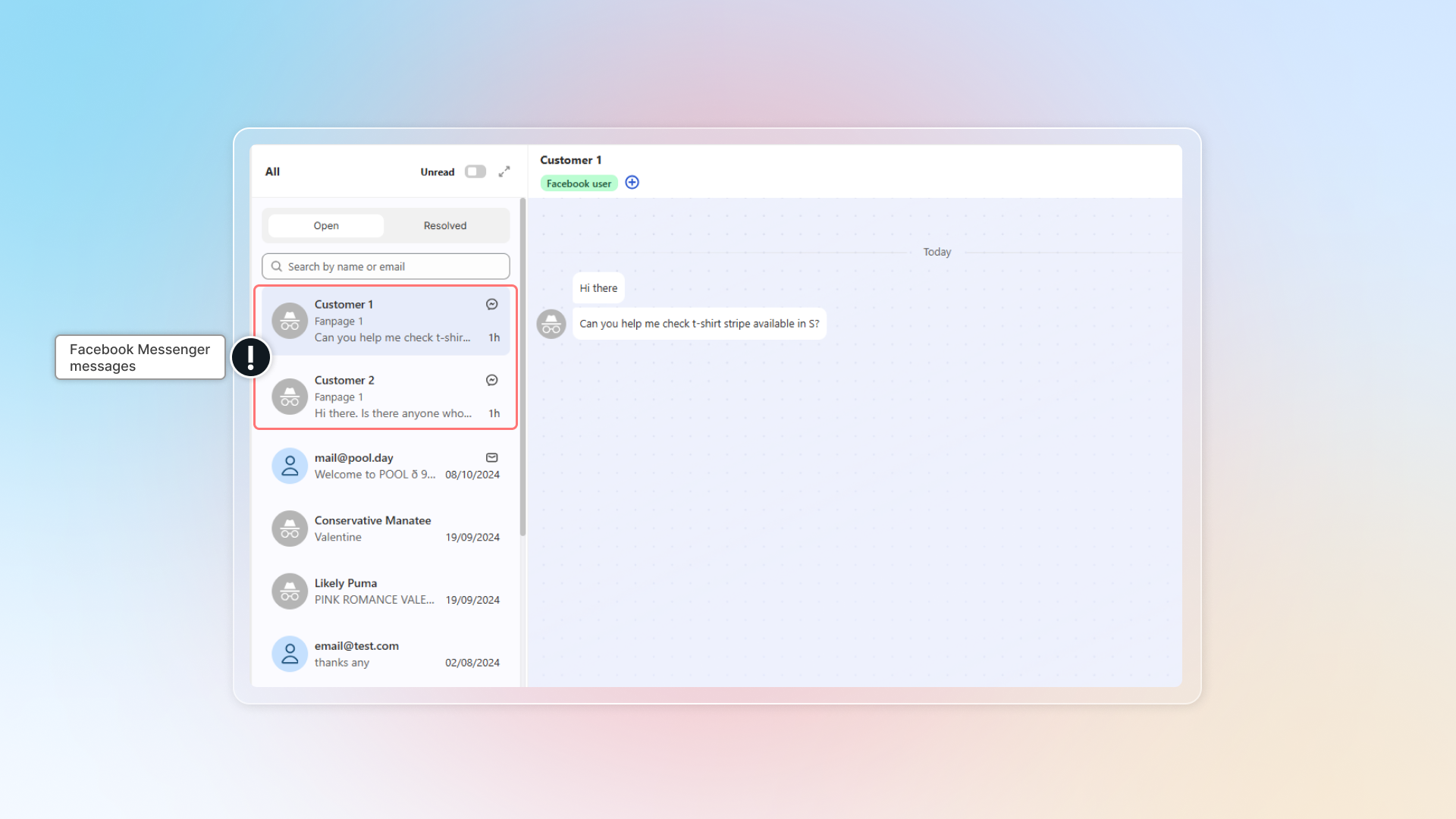
Messages from connected pages will be synced to Chatty inbox.
In Inbox, messages from Facebook/Instagram have Messenger/Instagram icon.
You can click Messenger in "Channel" to select all conversations from Facebook or Instagram.
Why does Chatty need access to my Facebook Page?
Chatty needs access to your Facebook Page to do the following:
- Show your Facebook messages in the Chatty app. This allows you to see and manage all your conversations in one place.
- Let you reply to messages directly from Chatty. This makes it more convenient to respond to people without switching apps.
- Organize your conversations and link messages to the correct Facebook Page. This helps keep your messages organized and easy to find.
What happens to existing conversations if I disconnect?
By disconnecting from Facebook pages, existing conversations will stay in Inbox without update.
Can I connect multiple Facebook accounts?
No. You can connect only one Facebook account to Chatty.
Can I connect multiple Facebook Pages?
Yes, you can connect multiple Facebook Pages to Chatty. Each connected page will have its associated Instagram account connected automatically (if applicable).
 Chatty Help Center